

No results for ""
Live Data Sessions
Your plan streams live data to one browser or device at a time. If TrueData Sheets is already live somewhere else, you can move streaming to the window you are using with a single click.
-
One Active Stream: Only one window receives live market data at a time. Other windows stay paused until they take control.
-
Any Browser or Device: The limit applies across browsers and devices, for example Chrome on your desktop and Edge on another computer.
-
Switch Any Time: Control moves with one click and your sheets stay exactly as they are - nothing is lost.
Seeing "Live data is open in another session" is not an error. TrueData Sheets is simply asking which window should receive live data.
When Do You See the Popup?
The popup appears on first load when another window already holds the live stream. Until you decide, this window stays paused, the status shows Offline and live cells show no values.
Second Browser
You open Sheets in another browser, for example Edge, while it is already live in Chrome.
Another Device
You sign in from a different computer or device while your first session is still open.
Taking Control in This Window
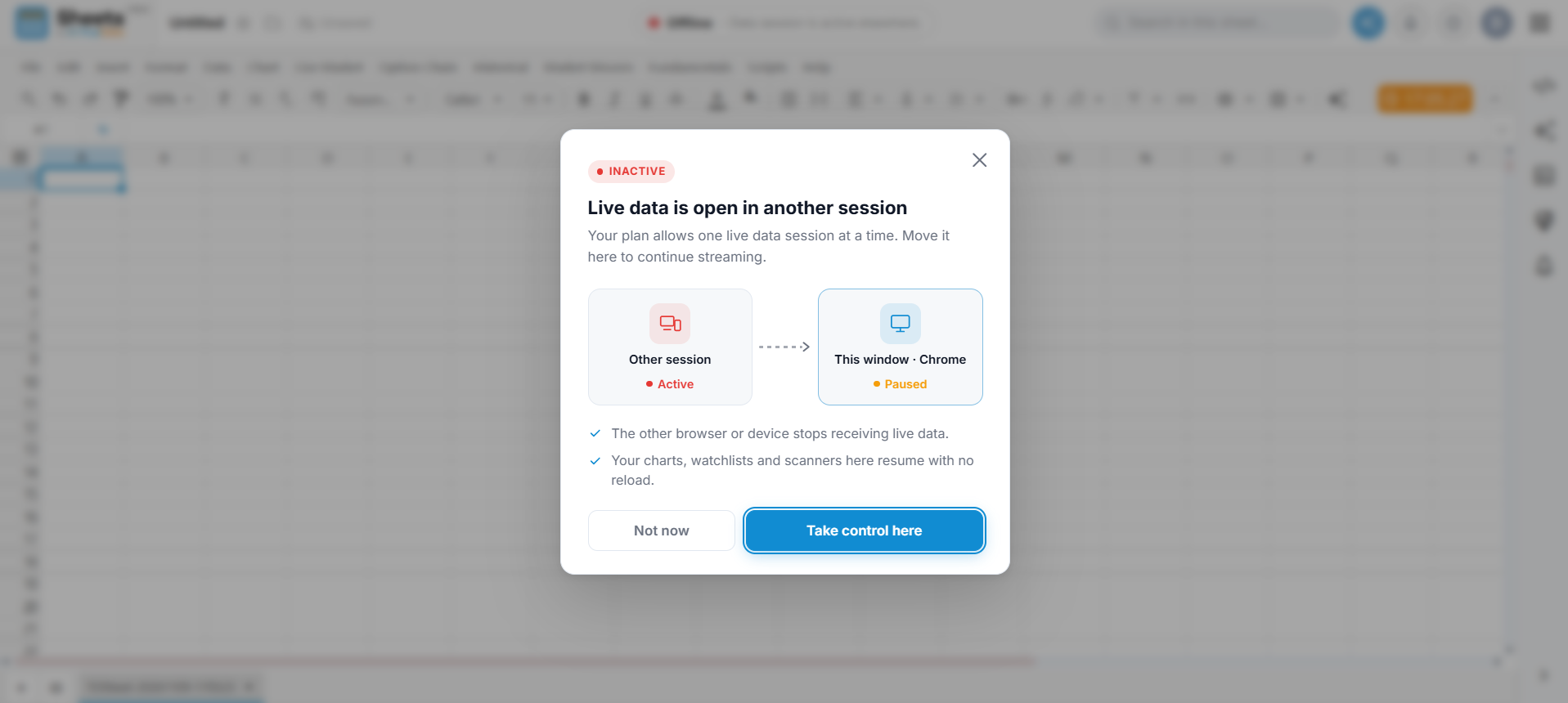
The popup shows the other session as Active and this window as Paused. Choose what you want to do.
-
Take control here: Moves live streaming to this window. The other browser or device stops receiving live data and live data here resumes with no reload.
-
Not now: Closes the popup and keeps this window paused. The other session stays active.
Open Sheets
Load TrueData Sheets in the browser or device you want to use now.
Read the Popup
Confirm the other session is Active and this window is Paused.
Take Control
Click "Take control here" and live data starts streaming in this window.
Live in This Window
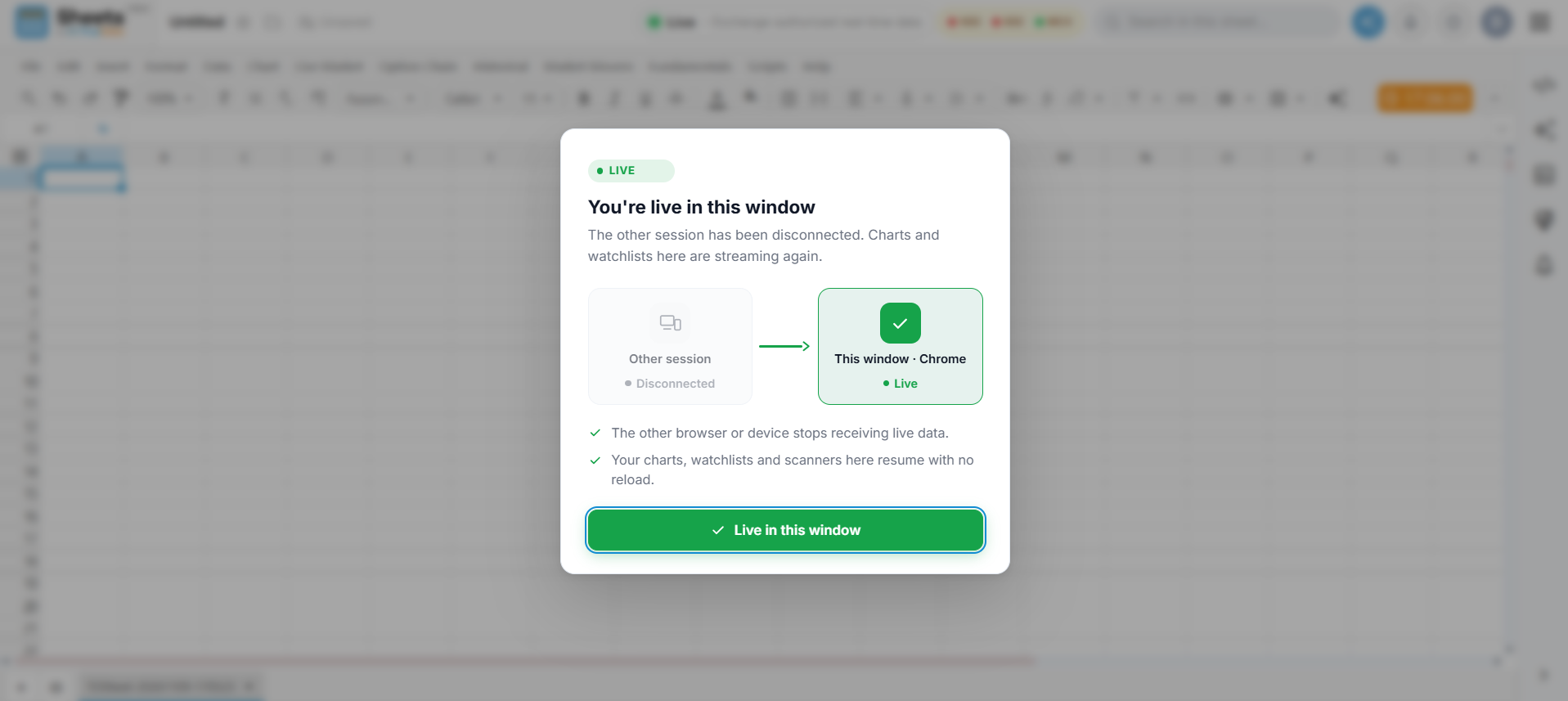
After you take control, Sheets confirms the switch. The other session shows as Disconnected and this window shows as Live.
Streaming Resumes
Live data in this window starts updating again with no page reload.
Other Session Disconnected
The other browser or device stops receiving live data until it takes control again.
Your Sheets Are Safe
Switching control only moves the live stream. Your files and changes are untouched.
Reading the Status Indicators
The status badge in the top bar and the labels inside the popup show which window is streaming.
Live
This window is streaming and live data updates in real time.
Offline / Inactive
This window is paused because another session holds control.
Paused
Shown under "This window" in the popup while it waits for you.
Disconnected
Shown under "Other session" after you take control.
If live cells show no values and the badge says Offline, check whether Sheets is open in another browser or device, then use Take control here.
Common Questions
-
I don't remember opening another session. An old tab, another browser or another device may still be open. Click Take control here and the other session will disconnect.
-
Will I lose my sheets or changes? No. Switching control only moves the live stream. Your files stay as they are and changes are still saved automatically.
-
The popup closed but I still see no live data. You chose Not now, so this window is still paused. Reload Sheets and click Take control here when the popup appears.
-
Can I stream in two windows at once? Not on a single-session plan. Contact TrueData support to ask about plans with more live sessions.
Sheets by Truedata
Empowering traders and analysts with high-performance real-time market data directly within their spreadsheets.
Resources
Support
© 2026 TrueData Market Data Services LLP. All rights reserved.