

search
Searching...
functions
Formulas
menu_book
Pages
manage_search
Content Match
search_off
No results for ""
Getting Started
1
Enter Symbol
Type a stock symbol like TCS in a cell (e.g. A1). Supports NSE, BSE, MCX, and other supported market symbols.
2
Apply Formula
Cell reference (recommended):
=LTP(A1)
=LTP("TCS")
3
Get Result
Live market data appears instantly, including Last Traded Price, Volume, Open Interest, and more. Data refreshes automatically in real time during market hours.
Create a New Spreadsheet in TrueData Sheets
Follow these steps to create your first spreadsheet:
- Click on the File menu in the top navigation bar.
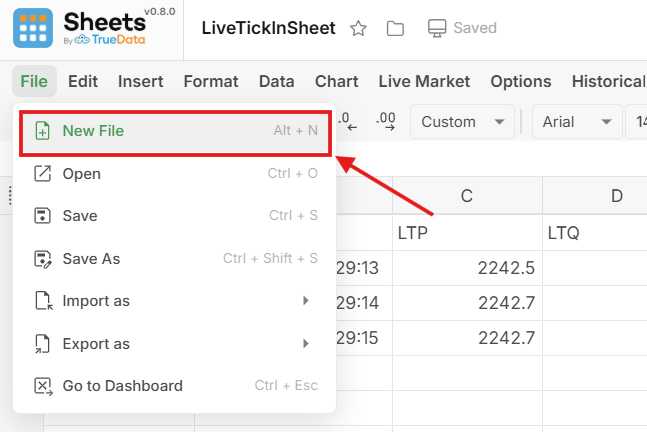
- From the drop-down menu, select New File.
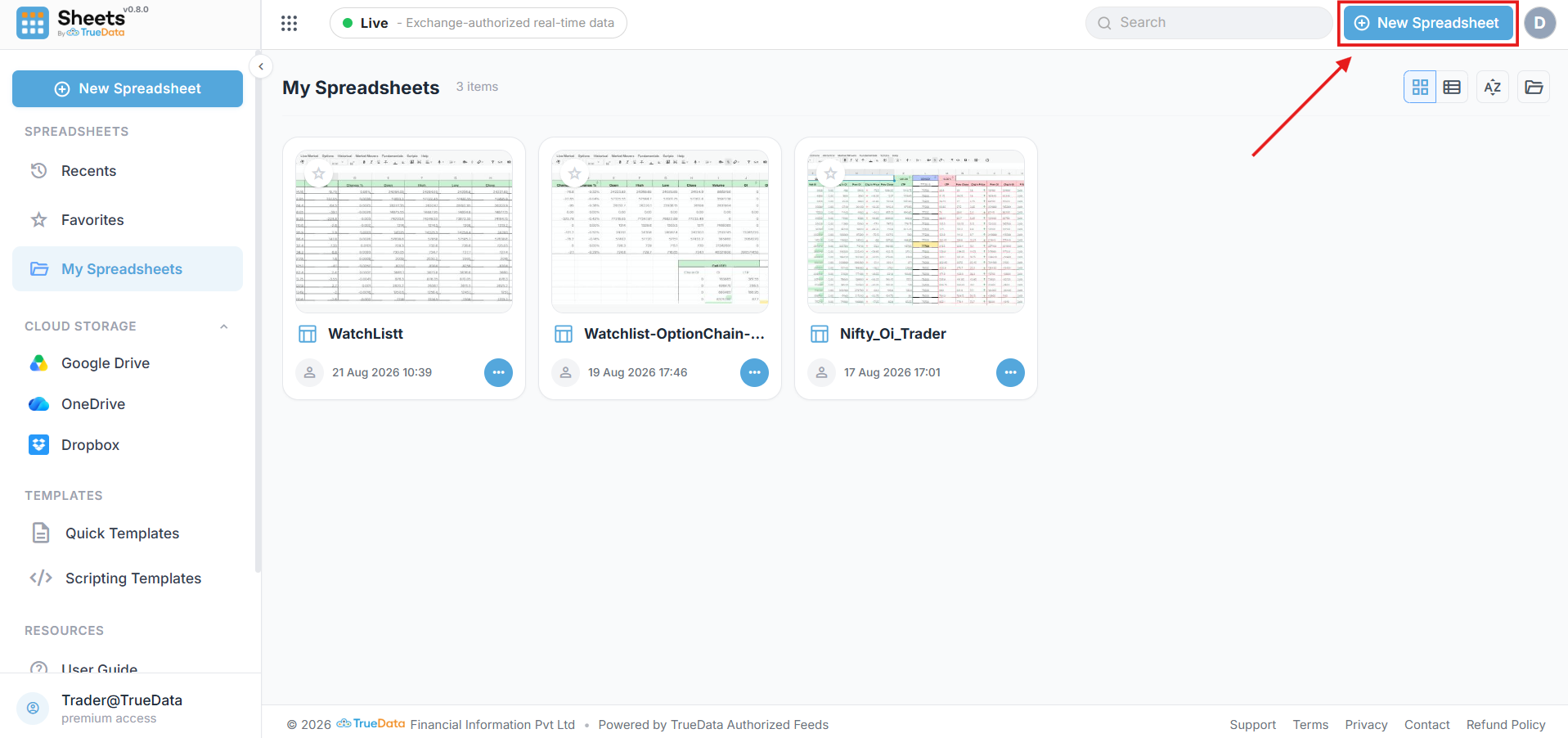
- Alternatively, from the Sheets landing page, click New Spreadsheet in the top-right corner.
Sheets by Truedata
Empowering traders and analysts with high-performance real-time market data directly within their spreadsheets.
Resources
Support
© 2026 TrueData Market Data Services LLP. All rights reserved.